Too many safety managers download a generic toolbox talk topics PDF, run a 10-minute meeting, and call it a win. But if your crew is checking phones, giving one-word answers, or walking away with no real understanding, the talk didn’t work. The problem isn't the format—it’s the content. Generic PDFs recycle the same five topics with outdated examples and zero connection to real job-site risks.
Effective toolbox talk topics PDFs do more than check a compliance box. They spark discussion, clarify hazards unique to the task, and reinforce safe behavior in language workers actually use. This guide delivers practical, ready-to-use topics backed by real-world safety leadership—not filler.
What Makes a Toolbox Talk Topic Work?
Not all topics are created equal. A strong topic must be:
- Relevant: Tied directly to current work (e.g., "Working at Height on Rooftop HVAC Units" vs. "Falls from Height")
- Actionable: Ends with clear do/don’t behaviors
- Concise: Fits in 10–15 minutes
- Visual: Uses diagrams, hazard photos, or site-specific sketches
A PDF that lists "PPE Use" as a topic with bullet points like "Wear hard hats" fails. One that shows a photo of a cracked helmet found on-site, asks the crew, “What would you do if you saw this?” and breaks down replacement protocols—that one sticks.
Common Mistakes in Toolbox Talk PDFs
- Using corporate jargon (“hazard mitigation strategies”)
- Ignoring crew feedback and past incident data
- Repeating the same topics monthly
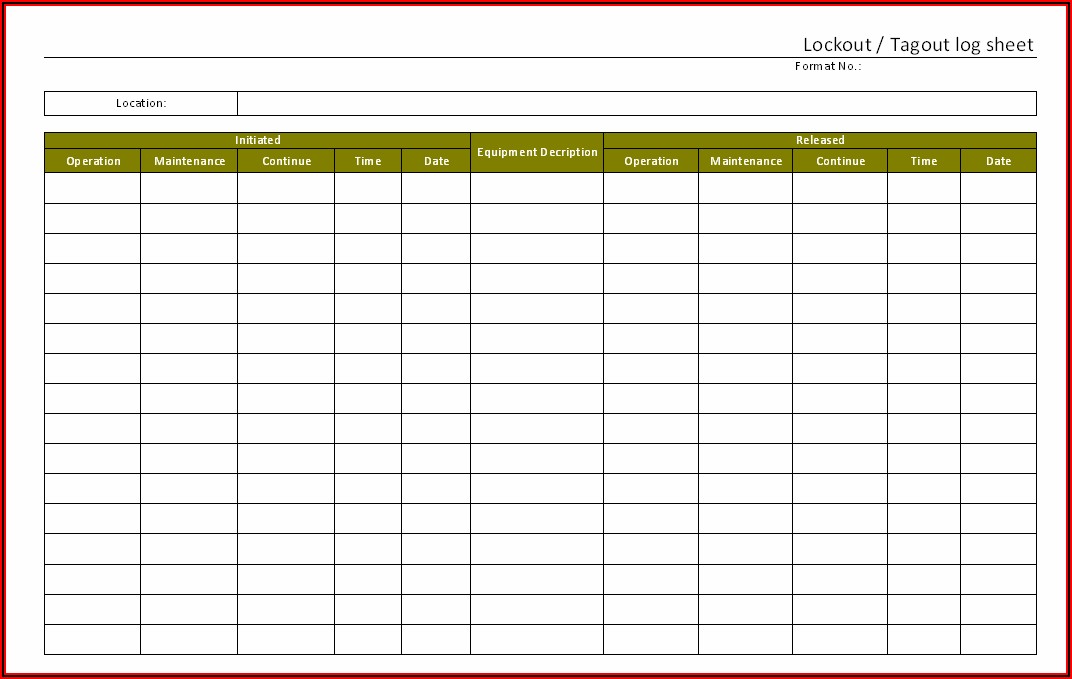
- No space for signatures or discussion notes
The best PDFs include a section for the supervisor to write: What hazards were identified today? Who raised concerns? That turns a formality into a living document.
7 High-Impact Toolbox Talk Topics (With PDF Use Cases)
These topics are proven to reduce incidents because they’re specific, timely, and discussion-driven. Each works well as a downloadable PDF handout.
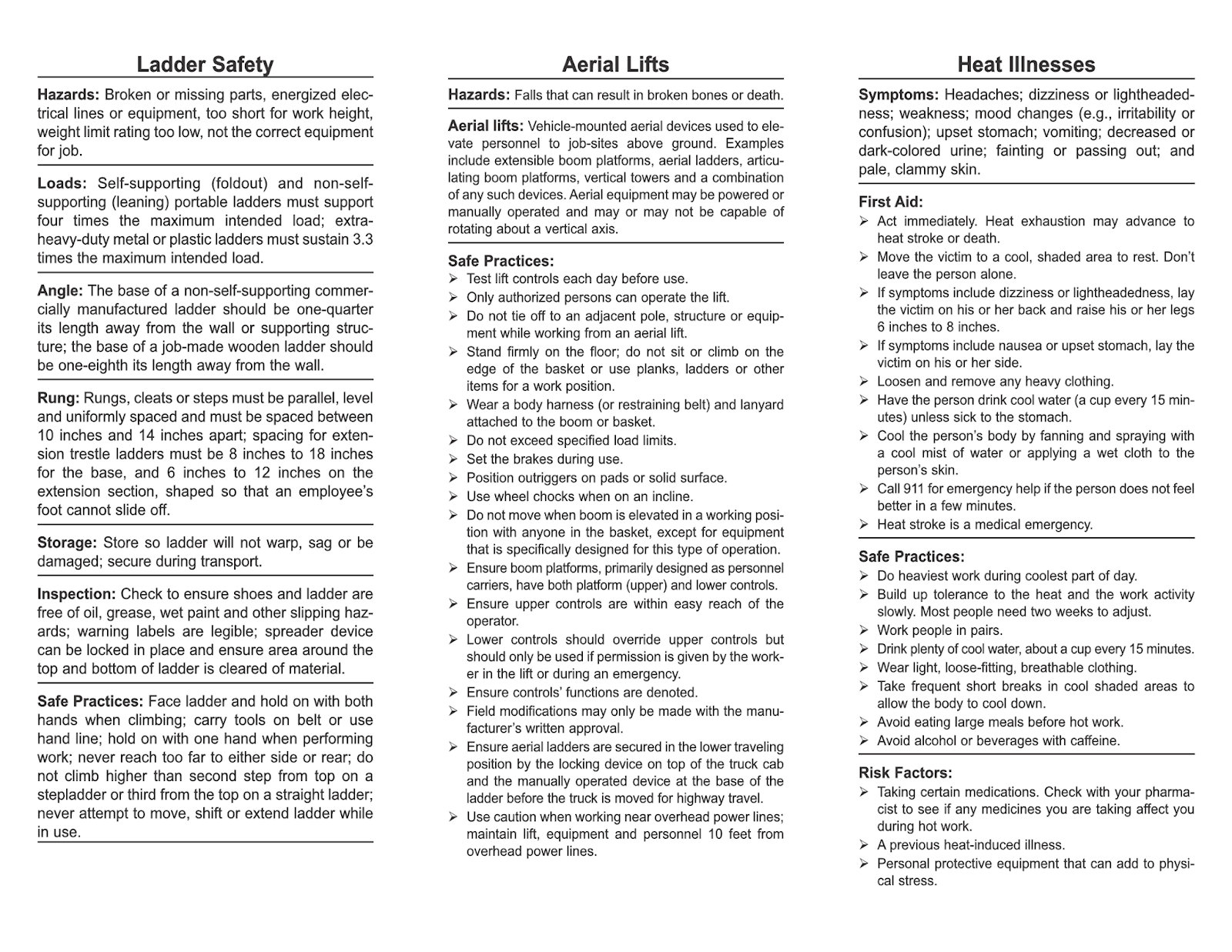
1. Proper Ladder Use on Uneven Ground Use this before exterior work begins. PDF Tip: Include a diagram showing correct extension ladder angles and examples of unstable bases (e.g., grass, gravel, painted surfaces). Discussion Prompt: “Has anyone ever had a ladder shift on the job? What happened?” Action Step: Always inspect ladder feet, use levelers, and have a spotter for heights over 10 feet.
2. Safe Hot Work Near Flammables Critical before welding or cutting in confined areas. PDF Tip: Add a checklist: fire extinguisher on-site? combustibles removed? permit verified? Real Mistake: A crew once assumed “clean area” meant visually tidy—until sparks ignited hidden sawdust in a wall cavity. Action Step: Define “safe distance” as 35 feet minimum unless barriers are in place.

3. Back Safety During Manual Material Handling Especially valuable in early shifts. PDF Tip: Use side-by-side images: correct lift (bent knees, straight back) vs. common poor form. Workplace Example: A tile installer developed chronic back pain after lifting 50-pound bags daily. Switching to two-person lifts reduced strain. Action Step: If it’s over 50 lbs, use mechanical aid or a second person.
4. Lockout/Tagout for Maintenance High-risk when rushed. PDF Tip: Include a flowchart: “Is the machine fully off? Is energy isolated? Is the tag signed?” Limitation: Many workers skip testing circuits after lockout. The talk should emphasize “verify zero energy.” Action Step: Never bypass interlocks—even for “quick fixes.”
5. Weather-Related Hazards (Heat, Cold, Wind) Seasonal but often overlooked. PDF Tip: Add a temperature action table: At 90°F+, mandatory 10-min water breaks every hour. Use Case: A crew working roof repairs in July had two near-heat exhaustion cases. After a toolbox talk, they adjusted start times and added cooling vests. Action Step: Designate a “weather monitor” to track conditions and alert the team.
6. Near-Miss Reporting Culture Not a physical hazard, but critical for prevention. PDF Tip: Share an anonymized near-miss: “Worker almost tripped over unmarked cable. Reported. Tape added.” Discussion Prompt: “Why do people hesitate to report?” (Common answer: “Fear of blame.”) Action Step: Praise reporting—every time. Make it part of the safety metric.
7. Excavation and Trenching Safety One of the deadliest job-site risks. PDF Tip: Show a cross-section of a properly shored trench vs. a “sloped but unmarked” one. Hard Truth: Cave-ins can happen in seconds. One cubic yard of soil weighs 3,000 lbs. Action Step: No one enters a trench over 5 feet deep without a protective system and inspection.
How to Turn Topics into Effective PDFs
A great topic dies if the PDF is clunky. Follow this workflow:
- Start with a Risk Assessment
- What’s changing this week? New equipment? Weather shift? Use real data.
- Structure the PDF in 3 Parts
- - Hazard Summary (1–2 sentences)
- - Discussion Questions (2–3 open-ended prompts)
- - Action Steps (clear, numbered behaviors)
- Add a Sign-Off Section
- Include spaces for:
- - Attendee names
- - Supervisor signature
- - Date and site location
- Use Site-Specific Visuals
- A photo of your actual job site with hazard zones marked beats any stock image.
- Archive and Review
- Store PDFs by date. Review monthly: Which topics led to behavior change? Which were ignored?
5 Free Toolbox Talk Topics PDF Resources
Don’t start from scratch. These sources offer customizable, high-quality templates:
| Resource | Highlights | Best For |
|---|---|---|
| OSHA.gov | Official, compliance-aligned topics | Legal defensibility |
| HSE UK Templates | Practical, visual-heavy PDFs | International crews |
| SafetyNow | 100+ topics with discussion guides | High-frequency meetings |
| Creative Safety Supply | Branded, printable PDFs | Facilities and warehouses |
| Trade-specific unions (e.g., NECA) | Trade-tailored content (electrical, plumbing) | Skilled trades |

Avoid sites that only offer Word docs or require email gates for basic topics. The best free PDFs are editable, printable, and include space for sign-offs.
Integrating PDFs Into Your Weekly Safety Workflow
A PDF isn’t a one-off. It’s part of a cycle:
- Monday AM: Choose topic based on week’s tasks
- Pre-shift: Print or load on tablet; gather crew
- 10-min talk: Lead discussion, not lecture
- Post-talk: File signed PDF, note concerns
- Friday PM: Review all weekly PDFs for trends
One superintendent reviewed his monthly stack and noticed three talks mentioned slippery stairs. He ordered anti-slip treads the next week—proactive, not reactive.
Pro Tips:
- Rotate facilitators—let experienced workers lead talks
- Link topics to JSA (Job Safety Analysis) documents
- Revisit topics after incidents or close calls
Avoid These PDF Design Traps Even good content fails with poor formatting.
✅ Do: - Use bold headers and short paragraphs - Include icons or hazard symbols - Leave white space for notes
🚫 Don’t: - Use tiny fonts to fit more text - Add unnecessary branding or logos - Create 5-page PDFs for 10-minute talks
A clean, one-page PDF with room for signatures and comments works best. If it takes more than one page, you’re overloading it.
Final Action: Build Your 30-Day PDF Plan
Don’t wait for an incident to improve your toolbox talks. Here’s how to start today:
- Download 3–5 templates from trusted sources (see list above)
- Customize one for this week’s high-risk task
- Run the talk, collect signatures, file the PDF
- Repeat—rotate topics weekly
- At month-end, review which talks sparked the most discussion
The goal isn’t just documentation. It’s behavior change. A well-crafted toolbox talk topics PDF doesn’t just inform—it engages, reminds, and protects.
When your crew starts pointing out hazards before the talk begins, you’ll know it’s working.
Frequently Asked Questions
What are the most common toolbox talk topics? Fall protection, PPE, electrical safety, manual handling, and hazard reporting are consistently top topics due to high incident rates.
Can toolbox talk PDFs be used for OSHA compliance? Yes—signed PDFs serve as documented proof of safety training, which OSHA may request during inspections.
How often should toolbox talks be held? Weekly is standard, but high-risk tasks (e.g., excavation) require pre-task talks every time.
Are toolbox talk PDFs effective for non-English speakers? Use visual-heavy PDFs and translate key terms. Pair with a bilingual supervisor when possible.
Should toolbox talk PDFs be the same for every site? No—customize content for site-specific risks, equipment, and past incidents.
Do employees need to sign toolbox talk PDFs? Yes—signatures verify attendance and understanding, strengthening compliance and accountability.
Can I edit free toolbox talk PDFs? Most free templates allow editing unless stated otherwise. Always check usage rights before modifying.
FAQ
What should you look for in Top Toolbox Talk Topics PDFs for Safety Teams? Focus on relevance, practical value, and how well the solution matches real user intent.
Is Top Toolbox Talk Topics PDFs for Safety Teams suitable for beginners? That depends on the workflow, but a clear step-by-step approach usually makes it easier to start.
How do you compare options around Top Toolbox Talk Topics PDFs for Safety Teams? Compare features, trust signals, limitations, pricing, and ease of implementation.
What mistakes should you avoid? Avoid generic choices, weak validation, and decisions based only on marketing claims.
What is the next best step? Shortlist the most relevant options, validate them quickly, and refine from real-world results.