Safety protocols in industrial and maintenance environments live or die by visibility and consistency. A locked-out machine means nothing if the tag attached doesn’t clearly communicate who locked it, why, and when. That’s where printable lockout tagout signs come in—offering a fast, cost-effective, and OSHA-aligned way to maintain energy control procedures without delays or supply chain hassles.
Unlike pre-printed industrial signage that requires lead time and fixed wording, printable LOTO signs give teams the flexibility to customize, update, and deploy warnings on demand. Whether you’re handling routine maintenance, emergency repairs, or training scenarios, having instant access to compliant signage streamlines your safety workflow and reduces downtime.
This guide breaks down everything you need to know about printable lockout tagout signs—from design essentials to real-world use cases and top tools for generating them.
Why Printable LOTO Signs Are a Game-Changer
Traditional safety signage often means ordering in bulk, storing stacks of pre-printed tags, and hoping they cover every possible scenario. That model breaks down when job variations emerge—different machines, multiple energy sources, or contract workers coming on-site.
Printable LOTO signs solve this with adaptability. You create them as needed, customize the fields, and print them on durable materials. Facilities using this system report faster turnaround on maintenance tasks and fewer compliance gaps during audits.
Real-World Example: A manufacturing plant in Ohio reduced its lockout setup time by 40% after switching to a digital template system. Maintenance supervisors now generate tags on tablets, print them on-site, and attach them immediately—no more waiting for the right pre-printed form.
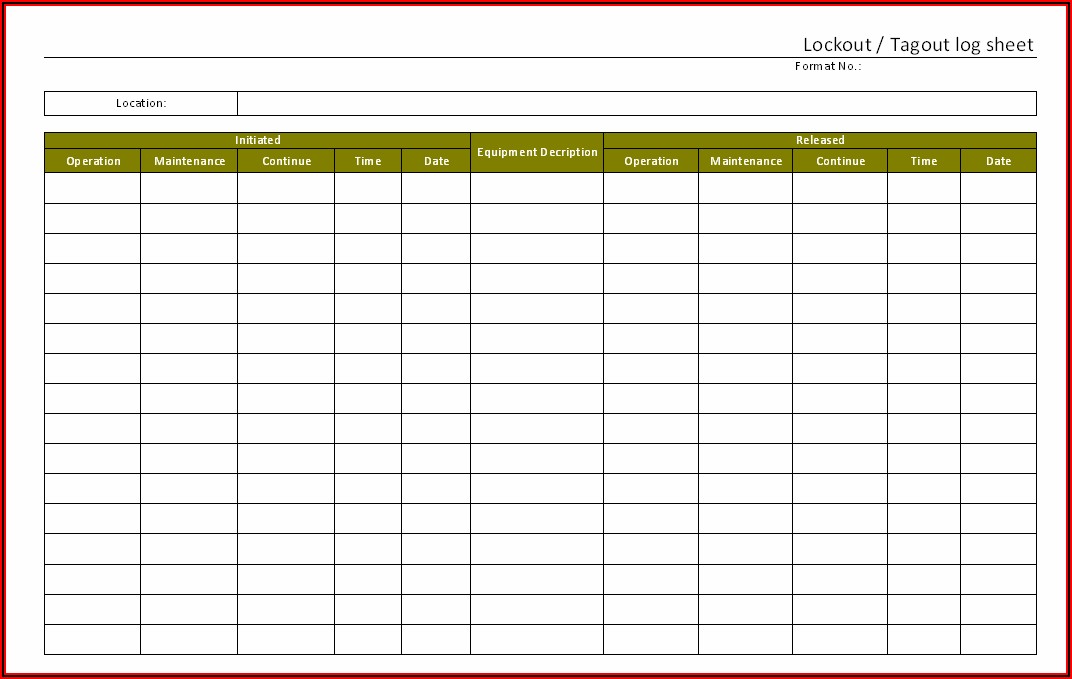
The key isn’t just convenience—it’s precision. Every tag includes the exact machine ID, shutdown time, and authorized employee name, reducing ambiguity during shift changes or emergency responses.
What Makes a Printable LOTO Sign Compliant?
OSHA 1910.147 doesn’t mandate specific colors or templates, but it does require that lockout devices be “durable, standardized, and readily identifiable.” Your printable signs must meet these criteria to pass inspection.
#### Minimum Requirements: - Durability: Printed on tear-resistant, weather-resistant, or laminated material - Visibility: High-contrast text (black on red or yellow) with legible font size - Information Fields: Employee name, department, date, time, equipment ID, reason for lockout - Language: In English or the primary language of all affected workers - Tamper Resistance: Designed to prevent erasure or modification after printing
#### Common Mistakes: - Using flimsy paper that tears during equipment handling - Leaving blank fields that allow manual edits post-print - Printing low-resolution text that smudges or fades - Skipping the equipment ID, leading to confusion on multi-unit systems
Pro Tip: Always print a test tag and attach it to a machine for 24 hours. Check for fading, smudging, or detachment. If it doesn’t survive a day, upgrade your material.
When to Use Printable Tags vs. Pre-Made Kits
Printable signs aren’t always the best choice. Knowing when to use them—and when to stick with physical kits—can save time and improve compliance.
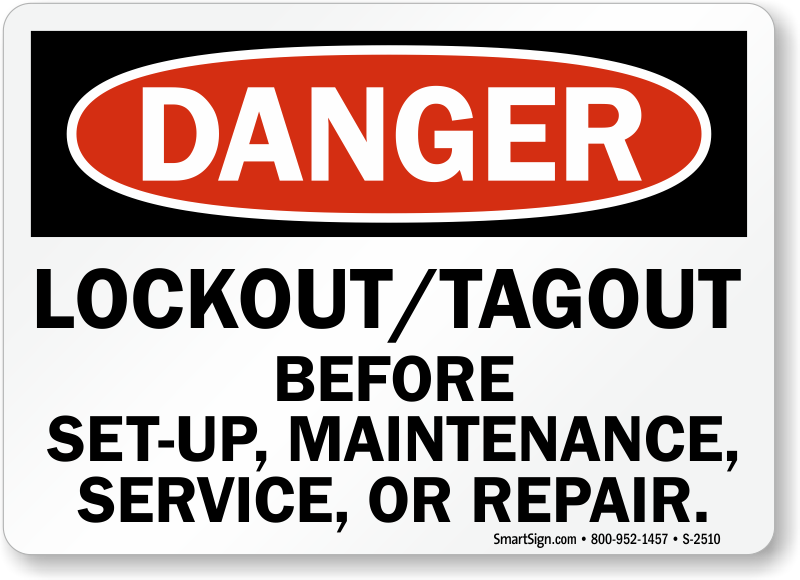
| Scenario | Recommended Approach |
|---|---|
| Routine maintenance on known equipment | Pre-made tags (faster deployment) |
| Multi-energy source systems with custom needs | Printable tags (customizable fields) |
| Temporary contractors or rotating staff | Printable tags (personalized per worker) |
| Outdoor or high-moisture environments | Pre-made vinyl tags or laminated prints |
| Frequent audits or training drills | Printable tags (version control, updates) |
The sweet spot for printable LOTO signs is dynamic environments—facilities with changing machinery, contract labor, or evolving processes. They let safety managers respond in real time without compromising documentation.
Top 5 Tools to Create Printable Lockout Tagout Signs
Not all templates are created equal. The best tools combine compliance-ready design with ease of use. Here are five top options trusted across industries:
#### 1. Creative Safety Supply Template Generator - Web-based drag-and-drop editor - OSHA-compliant layouts with auto-filled fields - Exports to PDF or direct printer - Free with registration - Best for: Quick, standardized tags across large teams
#### 2. SafetySign.com Custom LOTO Builder - Industry-specific templates (electrical, hydraulic, pneumatic) - Add logos, barcodes, QR codes for traceability - Print on adhesive vinyl or tagboard - Subscription for unlimited downloads - Best for: Facilities needing audit trails and branding
#### 3. OSHA Guard Free Download Library - Pre-formatted Word and PDF templates - Fillable fields for name, date, equipment - Print on 4x6 or 8.5x11 paper or cardstock - No login required - Best for: Small shops on a budget
#### 4. Brady Workstation - Enterprise-grade software with LOTO module - Integrates with CMMS and asset tracking systems - Mobile printing via Bluetooth label printers - High upfront cost, scalable for large plants - Best for: Complex operations with digital workflows
#### 5. Canva for Workplace Safety (Custom Use) - Free design platform with safety templates - Customize colors, icons, and text blocks - Export high-res PDFs for printing - Not industry-specific—requires manual compliance checks - Best for: Teams needing visual clarity and simple edits
Choose based on your volume, compliance needs, and existing systems. For most mid-sized operations, a mix of free templates and laminated printing delivers the best balance.
Designing Your Own: 6 Must-Have Elements
If you’re building a custom printable LOTO sign, include these six components to ensure clarity and compliance:
- Header with “Danger – Do Not Operate”
- Bold, red background with white text. First thing the eye sees.
- Employee Identification
- Full name, job title, and contact info. Accountability starts here.
- Equipment ID
- Machine name, serial number, or location code. Avoid generic labels like “Pump #1.”
- Lockout Start Time and Date
- Prevents accidental re-energizing after shift changes.
- Reason for Lockout
- “Motor replacement,” “Hydraulic line repair,” etc. Adds context during emergencies.
- Signature Line (Optional but Recommended)
- Physical or digital signature reinforces responsibility.
Bonus: Add a QR code linking to the full LOTO procedure or maintenance log. Some facilities use this to tie tags to digital work orders.
Material & Printing Tips for Long-Lasting Tags

A well-designed tag fails if the print job doesn’t hold up. Follow these best practices:
- Use 100 lb. cardstock or synthetic paper for hand-held tags
- Laminate for wet or outdoor environments—matte finish reduces glare
- Print in pigment-based ink (not dye-based) to resist fading and moisture
- Test adhesion if using string or plastic ties—ensure holes don’t tear
- Store templates digitally with version control to reflect policy updates
For high-volume shops, invest in a portable thermal label printer. Devices like the Brother PocketJet or Zebra ZQ630 let technicians print tags directly from tablets in the field.
Real Use Cases: Where Printable LOTO Signs Shine
#### Case 1: HVAC Maintenance Teams Contractors rotate across buildings daily. With printable tags, each tech generates a personalized lockout label on-site, includes job number and start time, and prints it on waterproof paper. Audit prep takes minutes instead of hours.
#### Case 2: Food Processing Plant High-pressure washdowns destroy standard paper tags. The safety team prints on synthetic polyester sheets, laminates them, and attaches with stainless steel ties. Tags survive sanitation cycles and remain readable.
#### Case 3: University Lab Upgrades Engineering departments use printable LOTO signs during student-led equipment modifications. Supervisors approve each tag digitally, print it, and log it in a shared drive—ensuring learning doesn’t compromise safety.
These examples show that flexibility and control go hand in hand. The best systems don’t just prevent accidents—they support efficient operations.
Final Step: Turn Templates into Action
Printable lockout tagout signs are only effective if they’re used consistently. Don’t let them sit in a folder. Integrate them into your LOTO protocol:
- Train all authorized employees on how to fill and print tags
- Store templates on shared drives or mobile devices
- Audit a random sample monthly for completeness and durability
- Update templates annually or after process changes
The goal isn’t just compliance—it’s creating a culture where safety is immediate, visible, and traceable. With the right printable signs, you cut red tape without cutting corners.
Start with a proven template, test it in real conditions, and scale across your team. Safety shouldn’t wait for a shipment.
FAQ What are printable lockout tagout signs? Customizable safety labels you print on demand to document equipment isolation during maintenance.
Are printable LOTO tags OSHA compliant? Yes, if they’re durable, legible, and include required information like employee name and equipment ID.
Can I use regular paper for LOTO tags? No—regular paper tears and fades easily. Use cardstock, synthetic paper, or laminate for durability.
Where should I store printable LOTO templates? On shared network drives, CMMS platforms, or mobile devices accessible to authorized staff.
How do I make tags tamper-proof? Print on non-erasable material, avoid blank fields, and use tamper-evident ties or seals.
Do printable tags work for multi-lingual teams? Yes—customize templates in the primary language(s) spoken by workers.
Can I add barcodes or QR codes to printable signs? Absolutely. Many tools let you embed codes linking to procedures, maintenance logs, or training records.
FAQ
What should you look for in Printable Lockout Tagout Signs: Save Time, Stay Compliant? Focus on relevance, practical value, and how well the solution matches real user intent.
Is Printable Lockout Tagout Signs: Save Time, Stay Compliant suitable for beginners? That depends on the workflow, but a clear step-by-step approach usually makes it easier to start.
How do you compare options around Printable Lockout Tagout Signs: Save Time, Stay Compliant? Compare features, trust signals, limitations, pricing, and ease of implementation.
What mistakes should you avoid? Avoid generic choices, weak validation, and decisions based only on marketing claims.
What is the next best step? Shortlist the most relevant options, validate them quickly, and refine from real-world results.